Parental control for Spotify
Music stays.
Video goes.
Spotify has no parental setting to turn video off — music videos and video podcasts autoplay right next to the songs. Nerfify is the switch you're missing: install it on your child's phone, and Spotify goes back to being what you wanted for them.
Out now on Google Play. Free to use — protection stops after 4 hours; Premium keeps it on around the clock. The iPhone version is still on the way.
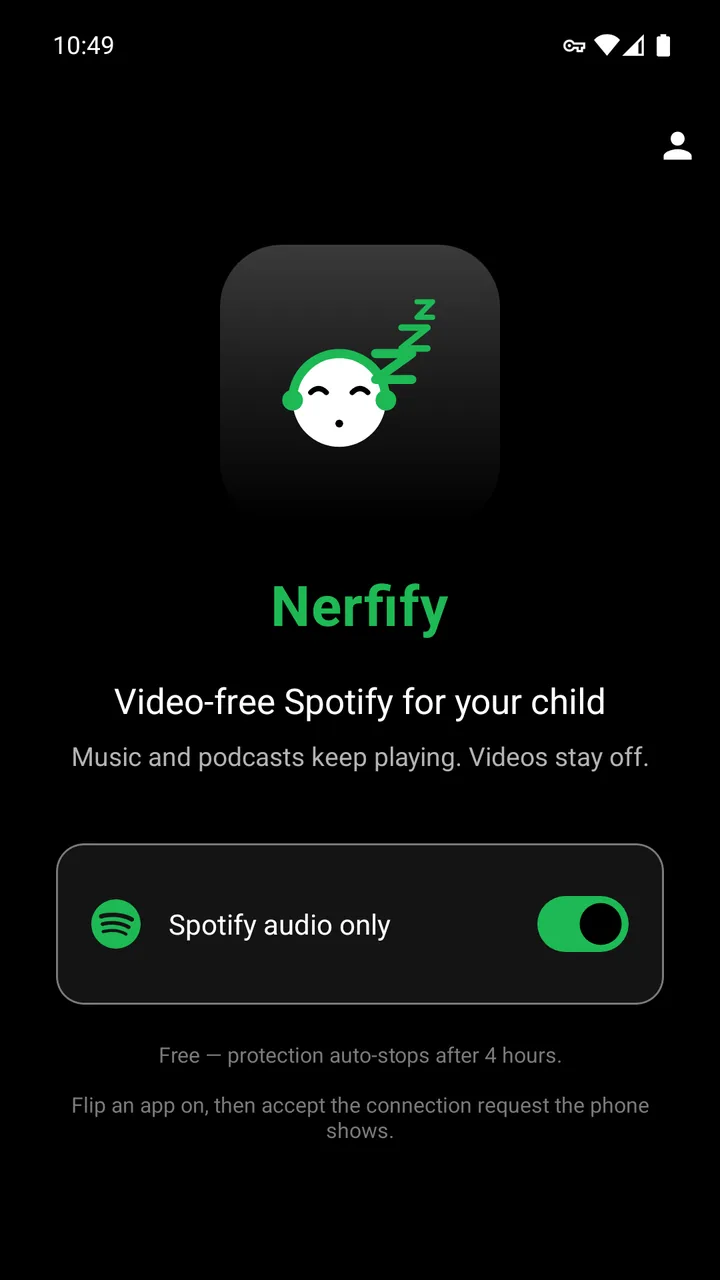
Set it up once, on their phone.
-
Install from Google Play
On your child's Android phone. You'll find Nerfify under Parenting.
-
Choose a parent PIN
Four digits, set once. Protection can't be switched off without it, so only you decide when video comes back.
-
Turn protection on
The phone shows a connection request. Accept it — that's what lets Nerfify run as a local filter.
-
Open Spotify
Music tracks, albums, regular podcasts, and the Now Playing screen all behave as usual. The video features go quiet.
For a set-and-forget setup: turn on Always-on VPN for Nerfify in Settings → Network & Internet → VPN on the child's device, and protection starts with the phone.
How it actually works.
Android requires apps that touch network traffic to register as a VPN. Nerfify does — but your child's traffic never goes to a server of ours. It runs a tiny DNS resolver on the device. For most domains it forwards the query to Cloudflare or Google, exactly like the phone already does. For a small list of Spotify video-CDN domains it answers "no such address," and Spotify falls back to audio.
Personal data
None collected — not from you, and not from your child. No accounts, no analytics, no telemetry.
What it sends
One request, to fetch the list of video domains to filter. It carries nothing about you or the device.
Your traffic
Not routed through us. Nerfify is a local filter, not a proxy or a tunnel.
Privacy
“Nerfify collects no personal data — not from you, and not from your child.” From the privacy policy
A few honest trade-offs.
-
Music videos won't play
Their audio and video share one stream. Skip past them; albums and regular tracks are unaffected.
-
Video podcasts won't play
Audio-only podcasts work normally.
-
It uses Android's VPN slot
A phone can only run one VPN at a time. If the device already uses another, you'll have to choose.
-
It's visible, by design
A notification shows while protection is on, so your child can see the phone is being filtered — not watched.